
Loading page
Roveya Hub
Roveya Hub shows managers what needs attention across sites, teams and workflows — with the actions to deal with it while on the move.
MobileManagement on the go
Exception
RAMS awaiting approval
Kilmarnock Works · Compliance · Today
Next action · Approve
Explore Hub
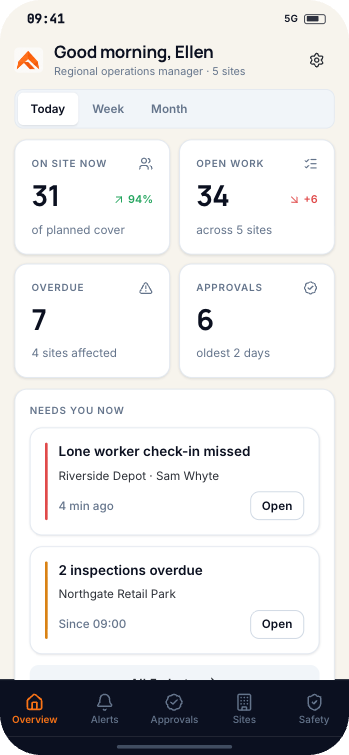
Hub brings the exceptions to the manager instead of asking the manager to search through the system.
The manager’s first screen: what is urgent, what is waiting on a decision, and the operational position behind it.
Actions · Review · Approve · Escalate · Open record
Timesheets, purchases and documents waiting on a decision, each with its context.
Actions · Approve · Send back · Escalate
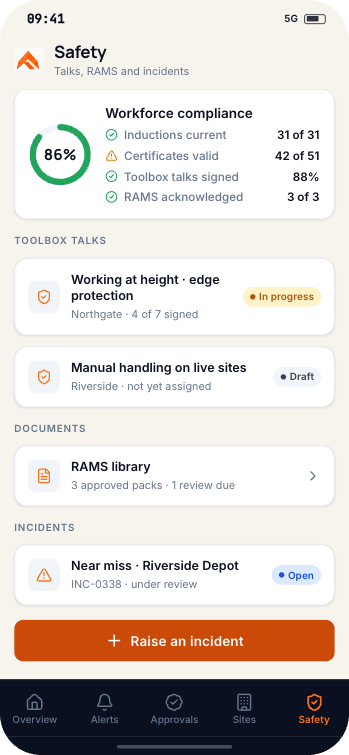
Toolbox talks, RAMS and incidents together, with the completion position visible first.
Actions · Review · Approve · Return · Escalate
Read and acknowledge RAMS on the move. Authoring stays in Roveya Admin.
Actions · Acknowledge · Review · Return
Assign a talk, capture signatures in sequence and record the completion.
Actions · Assign · Run group session
Raise or review an incident where the manager is standing.
Actions · Review · Assign · Escalate · Close when resolved
What reaches a manager
Approvals, overdue check-ins and incidents arrive in Hub with the record behind them, wherever you are.

Approval
Example data shown.
Exceptions
Every item says what happened, where, how urgent it is and which area owns it — with the next action on the row.
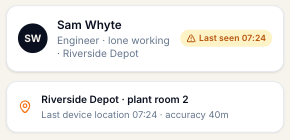
Actions on the row · Review · Approve · Escalate · Reassign · Open record. Every response is a person’s decision.
Approvals
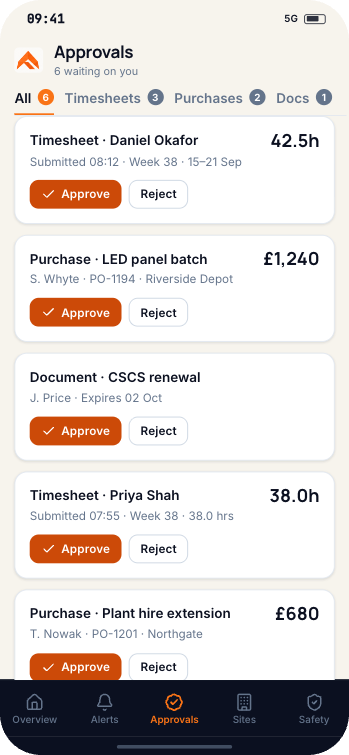
A manager sees the context, then the decision. What is being approved is legible before the button is tapped.
RAMS · Operational documents · Inspections · Timesheets
Approval types are labelled by what the product supports.
Live view
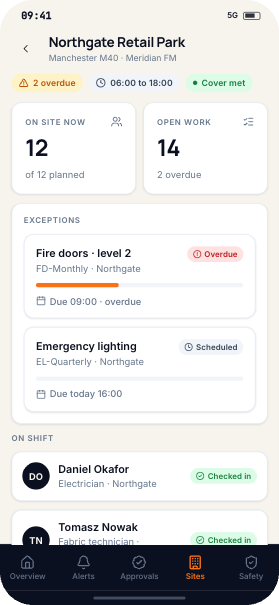
A small number of signals a manager can act on — not a dashboard to interpret.
Example data shown.
Compliance
Compliance Hub holds toolbox talks, RAMS and incidents together, with the completion position visible before anything is opened.
Toolbox talks
Group or individual assignment, signatures captured in sequence on a shared device, and the completion recorded against the talk.

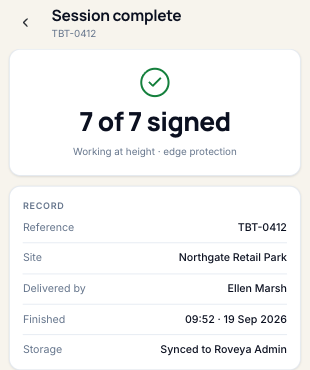
Group assignment · Individual assignment · Sequential signatures · Completion status · Sent to Roveya Ops
RAMS
The list carries project, site and status. The viewer puts risk, method and PPE behind tabs, with the controls that bring each risk down.
Authoring stays in Roveya Admin. Hub is where the document is read, acknowledged and acted on.
RAMS library · example
Incidents
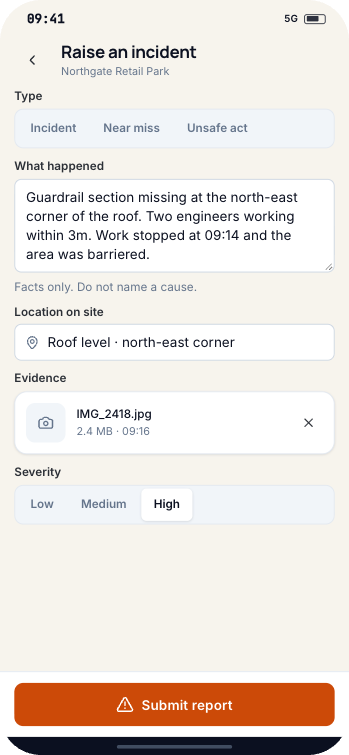
Site, time, severity, description, evidence and the people involved — captured or reviewed where the manager is standing.
Site · Time · Severity · Description · Photos · People involved · Status
Review · Assign · Escalate · Close when resolved
After submission: Report submitted · INC-0342 · HSE team notified.
Role aware
Hub opens on what the role is accountable for, rather than one dashboard everyone has to filter.
Reliability
Hub shows its connection state and what it means for the work in front of you, rather than failing quietly.
Only the behaviour the product supports is shown here. Where an action needs a connection, Hub says so before it is taken.
One operating record
All three read and write the same operating record, so a decision made in Hub is the same record Ops and Admin work from.
Role-based access · Clear approval history · Attributable decisions · Connected records · Human-controlled actionsSecurity & Trust →
